Review a Reference Image Before Uploading It to a Video Generator
A useful reference image may also contain personal information, third-party work or confidential details. Check the asset and the selected service before uploading, and use the least sensitive material that still supports the creative task.
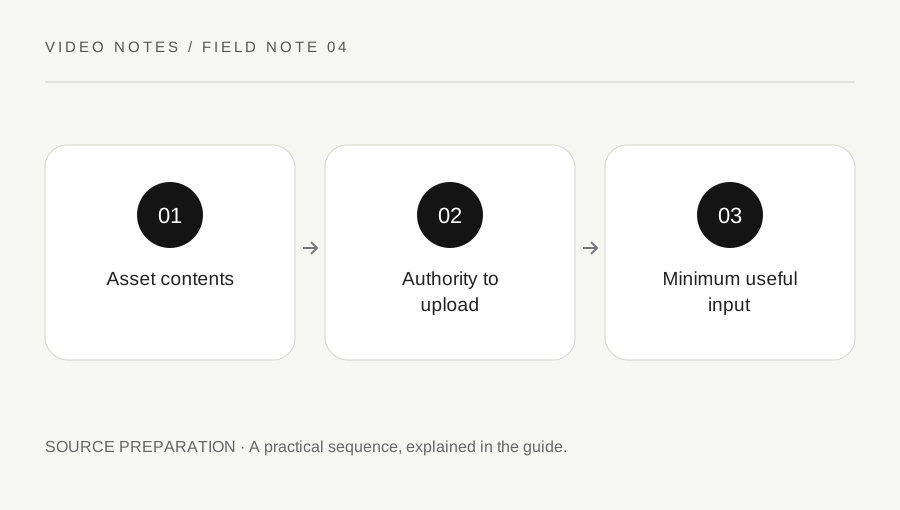
Original explanatory diagram. Examples illustrate a method or decision; they are not claims of personal testing.
Inspect everything visible in the image
Look beyond the main subject. A desk photograph can include a screen, address label, badge, private document or a person in the background. A product image may contain a third-party artwork or trademark. Make a specific list of what the generator will receive rather than treating the file as one harmless visual reference.
For an illustrative office scene, you may only need the room geometry, but the original photograph includes customer names on a whiteboard. Choose another reference or remove unnecessary information using an authorised process before upload. Cropping is useful only if it actually removes the sensitive content; a vague intention not to use it does not change what the service receives.
Confirm permission for this use
Check who owns or controls the image and whether you have the necessary rights for the intended upload and output. Client supply is not a complete answer by itself. A licence for publishing a photograph may have conditions relevant to other processing. Adobe generative AI guidelines prohibit inputs or uses that infringe rights and address personal information and privacy.
If people are recognisable, consider the required authority and consent for the specific context, particularly when their appearance may be altered. Do not assume permission for an ordinary photograph covers every synthetic depiction. Seek appropriate advice when rights or privacy obligations are unclear, and use a different reference while the question remains unresolved.
Check the actual service and account setting
Read the selected provider’s terms, privacy information and organisational requirements. A feature inside one application may use a partner model with additional conditions. Record the service and model you intend to use rather than relying on a general statement about AI tools. An organisation may require an approved account or prohibit uploading confidential material.
Do not claim that a paid plan automatically guarantees a particular retention or training treatment. Verify the applicable current terms and settings for that account. If the project needs a contractual assurance, obtain it through the appropriate channel. A marketing slogan about safety is not a substitute for understanding the actual processing arrangement.
Reduce the reference to the necessary information
Ask which visual properties the shot needs: composition, object arrangement, colour or a fictional character design. Use an original diagram, a cleared neutral image or a deliberately prepared reference when that answers the task. Keep the creative goal while reducing unnecessary exposure. Do not include a real person merely because a generic pose would suffice.
An illustrative interior concept may work from a simplified room image without documents or identifiable occupants. A product demonstration may instead require an approved exact asset. These are different needs. Document the chosen reference and any edits so that another collaborator knows what the input represents and which parts should remain faithful.
Review the output and keep a limited record
Inspect the generated video for recognisable people, unwanted text, copied marks or details that should not appear. A cleared input does not guarantee a suitable output. Check the intended use against the applicable rights and platform rules, and preserve the permission evidence needed for the project without duplicating sensitive material unnecessarily.
Keep a concise source record with asset identifier, authority, service, date and approved use. Follow your organisation retention and deletion process rather than leaving personal references in every experimental folder. The goal is an accountable creative workflow using appropriate inputs, not a blanket assurance that any upload becomes safe after a quick visual check.
A practical checklist
Choices are saved in this browser. Reset them here or clear this site’s browser storage.
Questions that come up
Is a client-supplied image automatically cleared?
No. Confirm the relevant authority, licence and intended use rather than relying only on who sent the file.
Does a paid plan settle privacy questions?
No. Verify the current terms and organisational requirements for the actual service and account.
Can I use a simpler reference?
Yes, when it preserves the creative information you need and you have authority to use it.
References & scope
Background references checked on 18 October 2026. Worked examples and diagrams are original teaching material.